01
Chord names & inversions
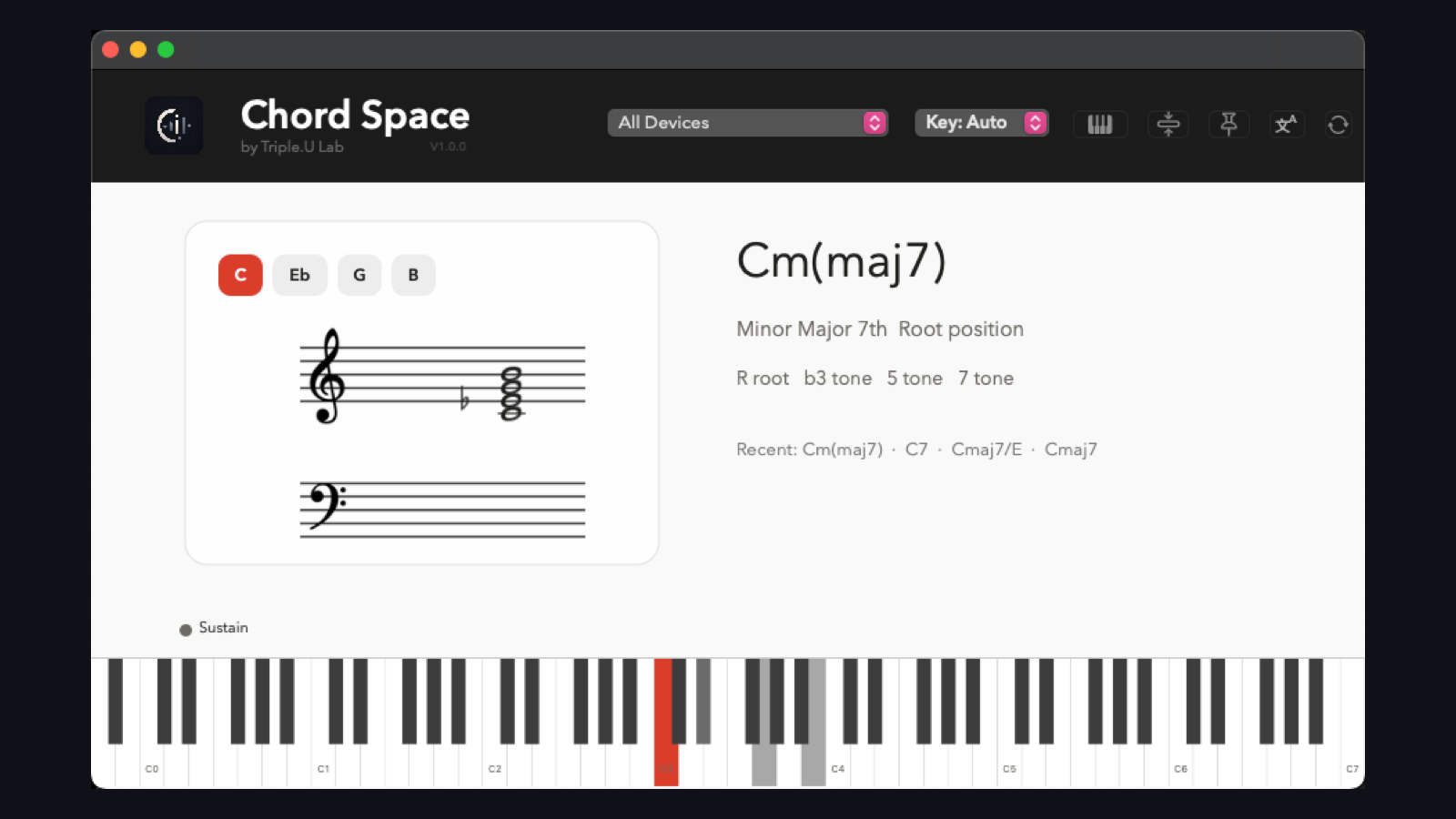
See the chord symbol, full name, and inversion the moment you play.
Triple.U
From Triple.U Lab
See every chord as you play.
A live MIDI chord visualizer for macOS and Windows, made for teaching, practice, and production.
Native macOS + Windows · Version 1.0.1
Live chord view
01
See the chord symbol, full name, and inversion the moment you play.
02
See every note on treble and bass staves, complete with key signatures, accidentals, and ledger lines.
03
Follow every active note across a full 88-key piano keyboard.
04
When a harmony has more than one accepted name, see the alternatives.

Flexible interface
Use the full interface for teaching and detailed analysis, or switch to the borderless horizontal view when screen space matters.
No MIDI keyboard nearby? Open the built-in virtual keyboard and play using your computer keyboard.
More control
Choose a key signature for correct note spelling and notation.
Keep Chord Space visible above other windows.
Switch the interface language at any time.
Build and display chords that would be impossible to hold with one hand.
Connect to every available MIDI device or select a specific input.
Runs independently on macOS and Windows without a DAW.
One-time purchase
macOS 13 or later · Windows · Perpetual license · Up to 2 devices
$15 USD / ¥99 CNY
Download and activation details are delivered after payment is confirmed.